Process > Combine > HDR
This tool allows you to select previously captured files and create an HDR image from them. Simply open them to the Image-Pro workspace, select them in the Images Panel, and click the HDR tool. See below for more information about the HDR feature.
Note: NOTE: HDR images are ideally created using the Capture Exposure property of every frame in the sequence. Note, however, that the frame properties are preserved only when an image is saved in TIFF format, so it's recommended to use this format for saving images if the images are going to be used to create an HDR image. If the Exposure property is lost or is not present on the image, Image-Pro uses image histogram information to map the images, and this technique may not be as accurate.
About the HDR Feature
The HDR feature allows you to create a single High Dynamic Range image out of a sequence of images that were captured with different exposures of the same scene. The resulting image is a compilation of the sequence of images that, based on your settings, presents the image data using the widest possible range of dark to light pixels. This wider dynamic range allows HDR images to more accurately represent the wide range of intensity levels found in real scenes.
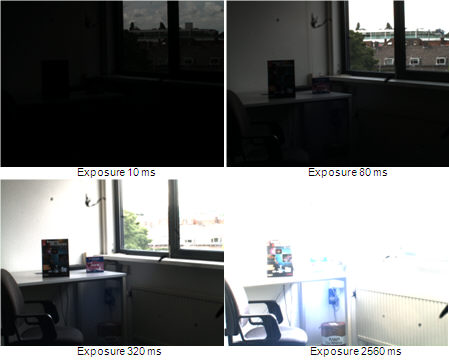
For example, consider the following set of images of the same scene captured with different exposure times.
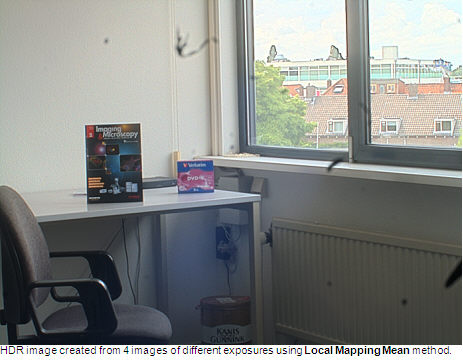
The calculated High Dynamic Range image created from these different images looks as follows: